Linking Aadhaar and PAN has now become mandatory for taxpayers. Whether it is bank work, Demat account, income tax return, or TDS—PAN-Aadhaar linking is required everywhere. But many people don’t want to log in to the Income Tax Portal to check the status because they either forget their password or find the process difficult.
That’s why today we are sharing a 100% working, super easy, and mobile-friendly method through which you can check your Aadhaar–PAN Link Status from your mobile without logging in.
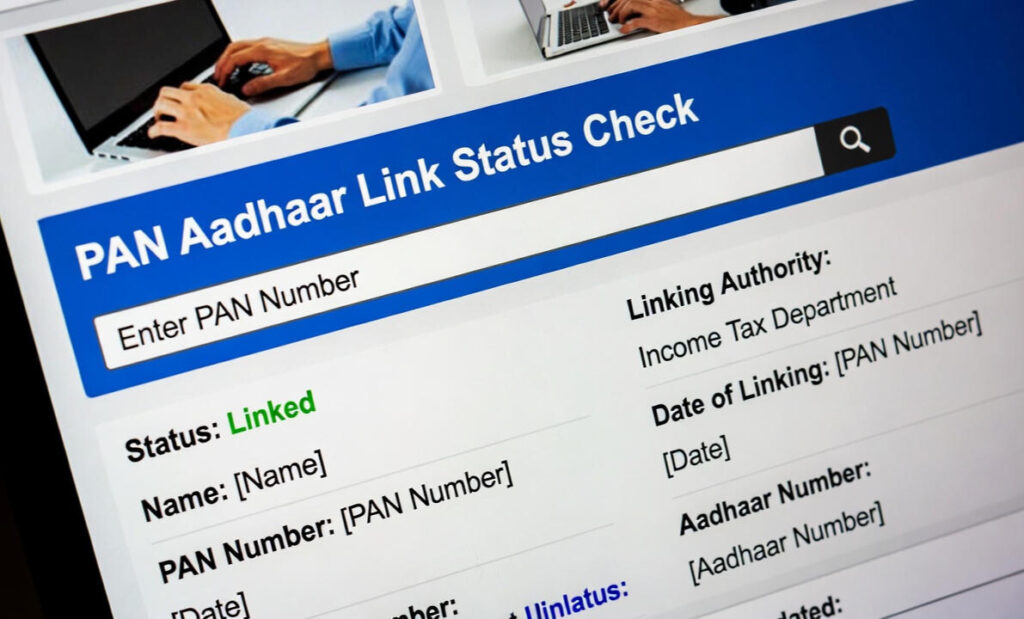
This method is completely free and shows the status in just 1 minute.
In this guide you will learn:
- Why Aadhaar–PAN linking is necessary
- How to check the status directly from mobile
- Methods that work without login
- How to check status via SMS
- Who is exempt from linking
- What happens if PAN–Aadhaar is not linked
- FAQs
This entire article is written in simple language so everyone can understand easily.
Why is Aadhaar–PAN Linking Necessary?
The Government of India has made PAN-Aadhaar linking mandatory so that:
- Duplicate PAN cards can be eliminated
- Fake identities can be prevented
- ITR filing and e-KYC become easier
- Transparency in banking and finance increases
If PAN is not linked with Aadhaar, your PAN can become inoperative, which means:
- You cannot file ITR
- TDS/TCS details may appear incorrect
- Transactions above ₹50,000 in banks may get blocked
- You may face issues in stock market/Demat accounts
- Your KYC will be considered incomplete
So, everyone should keep checking their PAN–Aadhaar linking status regularly.
Also Check >>>> Check ITR Refund Status Online Here
Checking Aadhaar PAN Link Status from Mobile is Now Very Easy
You can check Aadhaar–PAN linking status without logging into the Income Tax Portal, using just your mobile number.
Here is the step-by-step guide:
Aadhaar PAN Link Status Without Login (Official Quick Check Tool)
This is the fastest and easiest method.
Step 1:
Open the browser (Chrome/Safari) on your mobile.
Step 2:
Type in the search bar:
“Aadhaar PAN Linking Status Check – Income Tax”
Or directly open the Income Tax website’s Link Aadhaar Status page.
Step 3:
You will see two empty boxes:
- PAN Number
- Aadhaar Number
Enter both correctly.
Step 4:
Click on “View Link Aadhaar Status” or “Check Status”.
Step 5:
You will instantly see one of these messages:
- PAN–Aadhaar is already linked
- PAN–Aadhaar is not linked
- Aadhaar validation is in progress
- There is a mismatch in details
This entire process takes only 10–15 seconds and no login is required.
Aadhaar PAN Link Status via SMS (100% Working)
Very few people know that Aadhaar–PAN linking status can also be checked through SMS.
But this works only if you have previously sent a PAN–Aadhaar linking request.
SMS Format:
Send this SMS from your registered mobile number:
UIDPAN <space> <12-digit Aadhaar> <space> <10-digit PAN>
Example:
UIDPAN 123456789012 ABCDE1234F
You will receive a reply like:
- PAN is already linked with Aadhaar
- PAN is not linked with Aadhaar
- Linking is pending
- Aadhaar details mismatch
Note:
The SMS number may change from time to time. Use this method only if you have older confirmation messages.
Status Through Aadhaar App (mAadhaar)
Basic information about PAN linking can also be checked via the mAadhaar app.
Steps:
- Download mAadhaar from Play Store / App Store
- Create your Aadhaar profile
- Open the “Services” section
- Aadhaar–PAN linking related updates may appear
Although not a dedicated method, important Aadhaar authentication alerts are often available here.
Use PAN Status Checker Websites
Some trusted government-backed platforms have PAN validity checkers.
If the PAN shows inactive, it is almost certain that Aadhaar is not linked.
What to Do If PAN–Aadhaar Is Not Linked?
If the status shows “Not Linked”, you can link it instantly from your mobile.
Linking Steps:
- Open the “PAN Aadhaar Linking” page
- Enter PAN and Aadhaar
- OTP will come on your registered mobile
- Submit the form
- Pay the ₹1000 linking fee
The status updates within 15–20 minutes after payment.
People Exempt from PAN–Aadhaar Linking
Some categories do not need to link PAN with Aadhaar:
- Super senior citizens (above 80 years)
- People without Aadhaar
- NRI (Non-Resident Indians)
- Non-citizens
- Certain residents of Assam, Meghalaya, and J&K
If you fall under these categories, your PAN stays active automatically.
Disadvantages of Not Linking PAN–Aadhaar
If your PAN is not linked:
- PAN becomes Inactive / Inoperative
- Banks may deduct 20% TDS
- ITR cannot be filed
- KYC fails everywhere (Bank, Demat, Mutual Funds)
- Issues in Passport, Licenses, Subsidy, and other services
Benefits of Checking PAN–Aadhaar Status from Mobile
- No laptop needed
- No login/password required
- Quick OTP verification
- Instant status
- Completely free
- 100% accurate and real-time
Common Errors While Checking Aadhaar PAN Status
1️⃣ “PAN not valid for linking”
Your PAN may already be inactive.
2️⃣ “Name or Date of Birth mismatch”
Different name/DOB in Aadhaar and PAN.
3️⃣ “Aadhaar authentication failed”
Aadhaar number wrong, or mobile not updated.
4️⃣ “Invalid request”
Server busy or technical issue.
5️⃣ “Payment pending”
Fee paid, but linking process not completed.
How to Correct PAN–Aadhaar Details?
If linking is rejected, correct the details first:
- PAN correction: NSDL portal
- Aadhaar correction: UIDAI portal or Aadhaar Center
Then try linking again.
Aadhaar PAN Link Status – FAQs
Q1. Is login required to check Aadhaar PAN link status?
No. You can check it using only your PAN and Aadhaar number.
Q2. Can I check the linking status from mobile?
Yes, it takes just 1 minute.
Q3. Can I check status via SMS?
Yes, using the UIDPAN format.
Q4. What is the fee for linking PAN–Aadhaar?
Currently ₹1000.
Q5. How long does it take for status updates?
Between 5 minutes to 24 hours.
Q6. What if PAN becomes inactive?
Link it with Aadhaar; the PAN will automatically become active.
Q7. Is Aadhaar mandatory?
Yes, it is essential for tax-related activities.